View Categories

Live View

Live View allows you to monitor your vehicle in real time through the FLEETA app or web viewer.

If GPS data is available for the selected dashcam, a map with the vehicle’s current location will also be displayed alongside the live video.

Available features and connection requirements vary by dashcam type and platform.

Connection Requirements #

  • Wi-Fi Dashcam
    Requires a Direct Wi-Fi connection.
    Available only through the FLEETA app.

  • Cloud-connected Dashcam
    When connected to the cloud, you can access Live View remotely via the app and web viewer.
    If the dashcam is not connected, a Direct Wi-Fi connection via app is required.

How to Access Live View #

From the FLEETA App

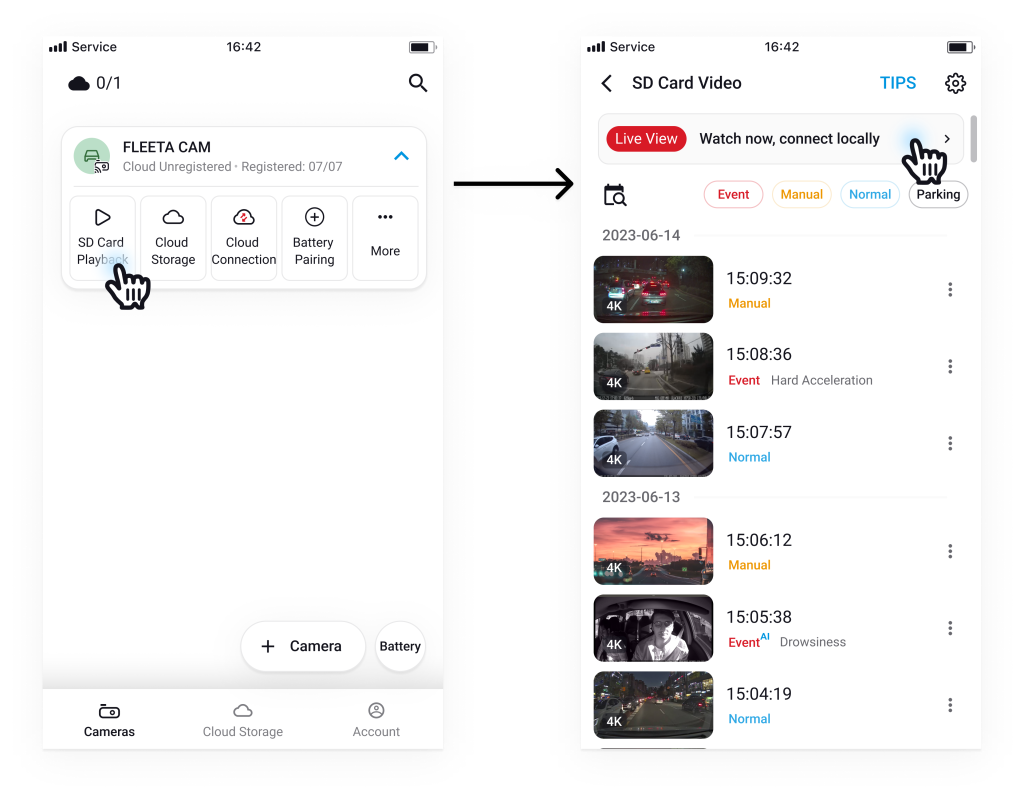
📶 Wi-Fi Camera 

  1. Tap the SD Playback button on the camera card.
  2. On the SD Card Video screen, tap Live View.
☁️ Cloud Camera

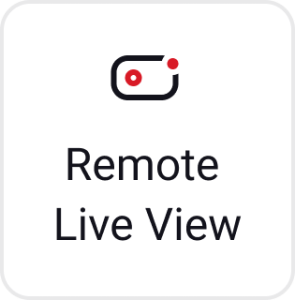
  1. Tap the Remote Live View button on the camera card.
 

           🔴 Offline / Activation Required Camera
           – Cameras that are offline or pending activation are not connected to the cloud. You can still watch Live View by                      connecting to the camera via Wi-Fi connection through the FLEETA app.
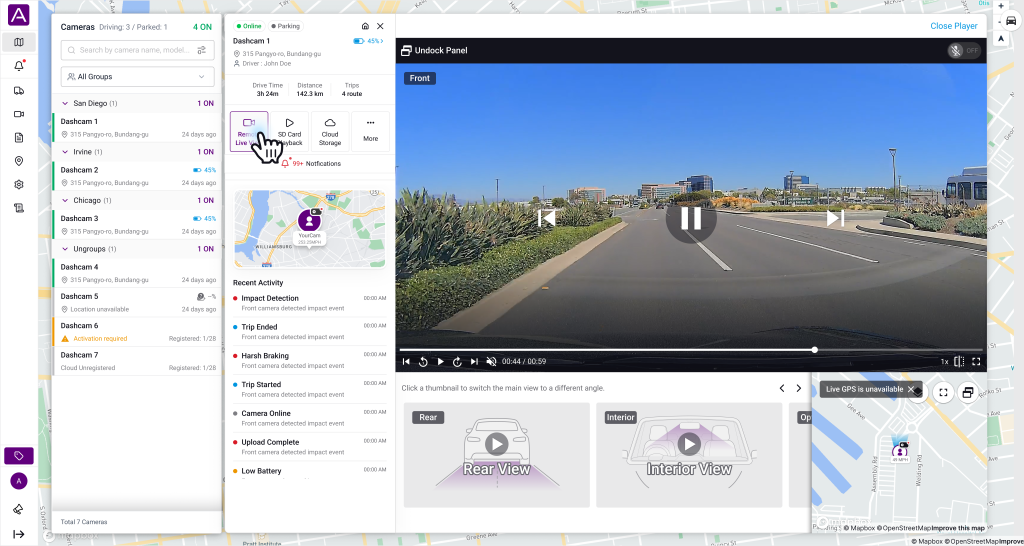
From the FLEETA WebViewer

  1. Tap the desired camera from the camera list on the map screen.
  2. On the preview screen, tap Remote Live View.

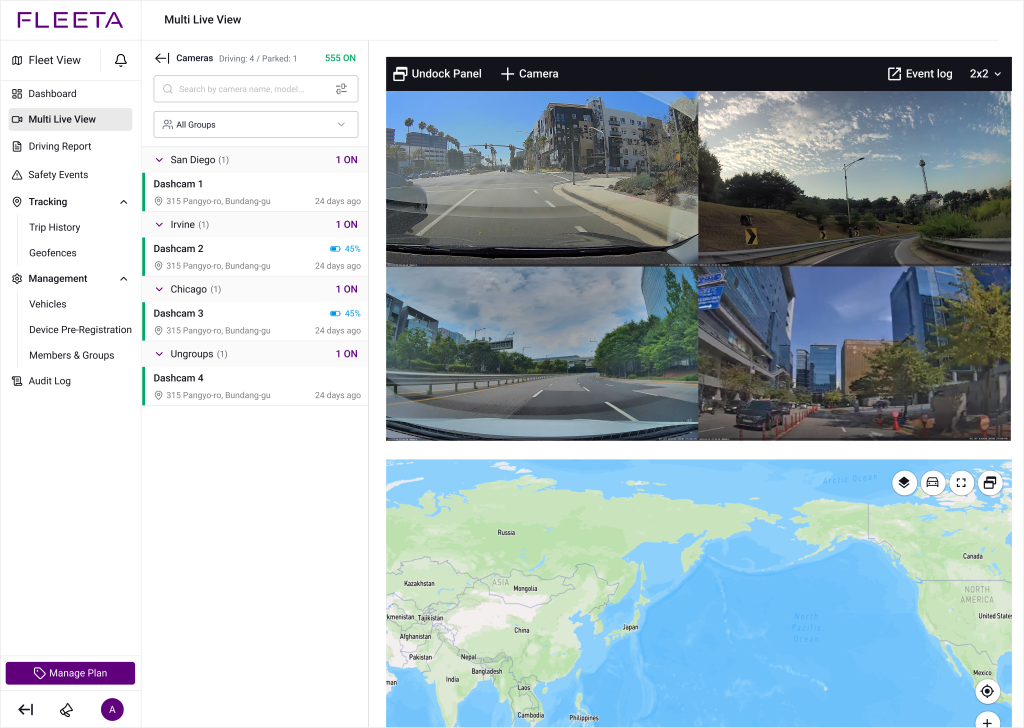
Multi Live View (Web Viewer only) #

In the web viewer, you can monitor up to 64 dashcam channels simultaneously using the Multi Live View feature. The maximum number of channels available at the same time varies depending on your subscription plan.

Voice Call #

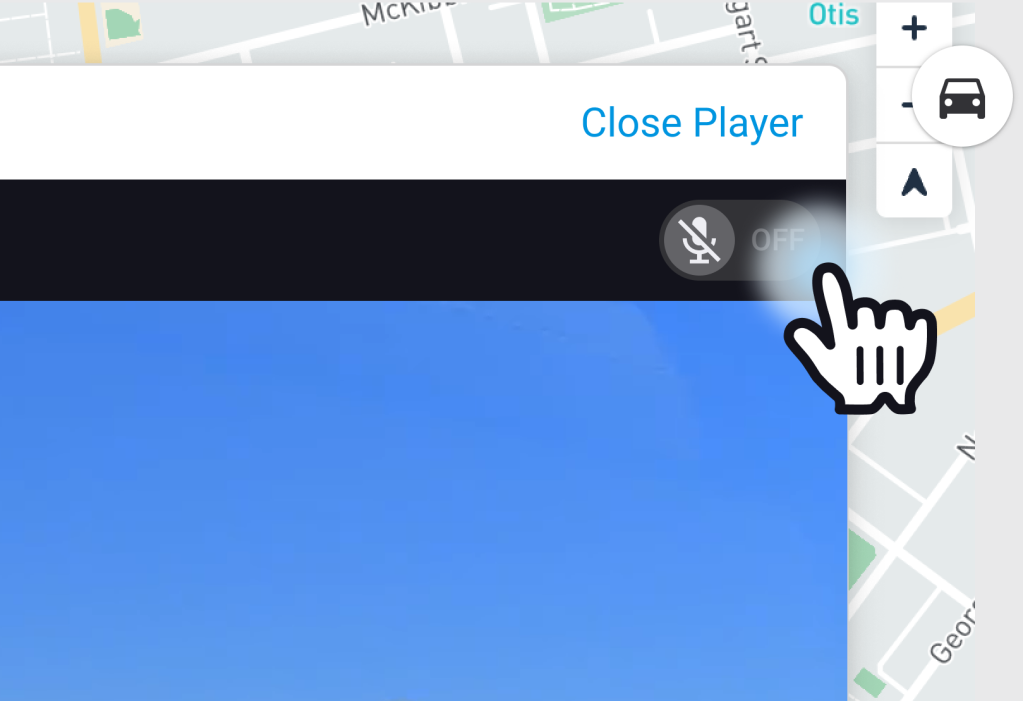
You can make a real-time voice call to the driver from the Live View screen.

Click the top-right microphone button to start voice communication.

Powered by BetterDocs