View Categories

Report

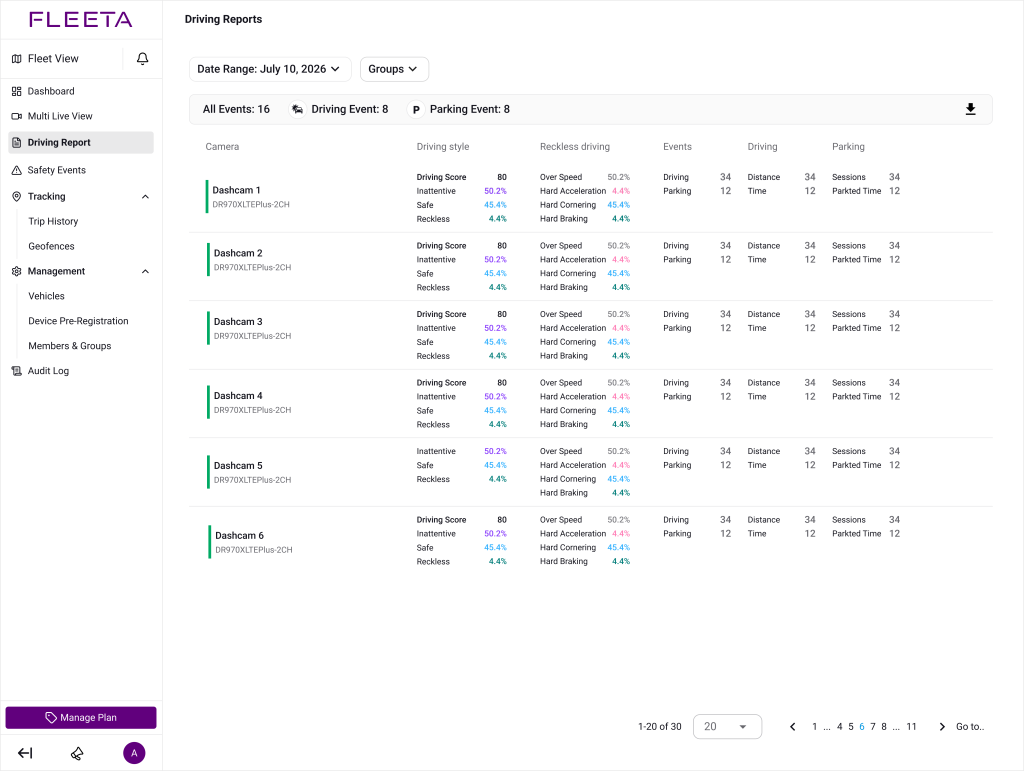
The Driving Report provides insights into vehicle behavior based on dashcam event data.
You can access daily or monthly reports for each camera to monitor driving safety and patterns over time.

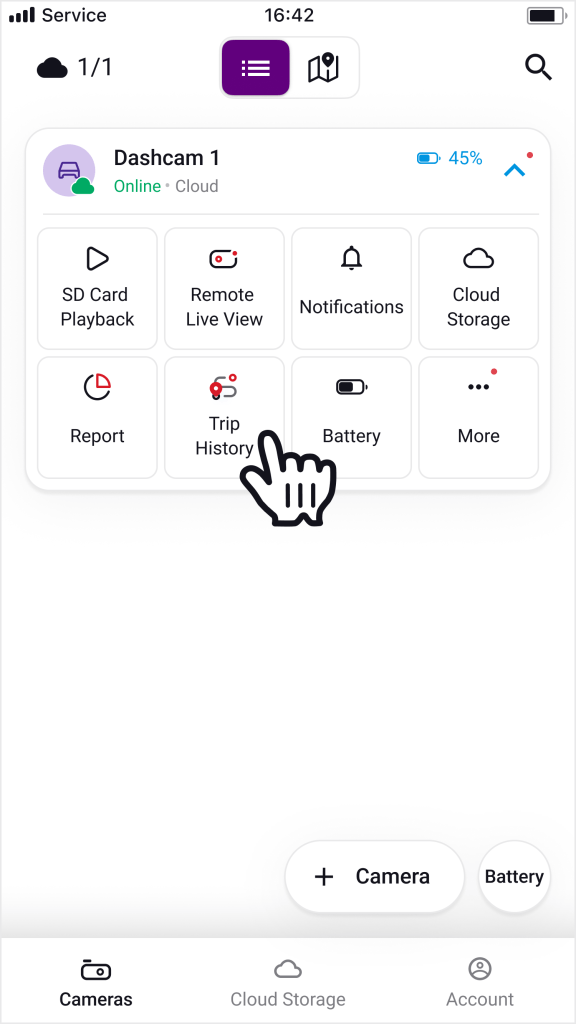
The Report page provides a data summary for all dashcams registered to your account, displayed in a list format. If only one cloud camera is registered to your account, the list is skipped and the Report is displayed directly.

How to Access Report #

Filtering by Group #

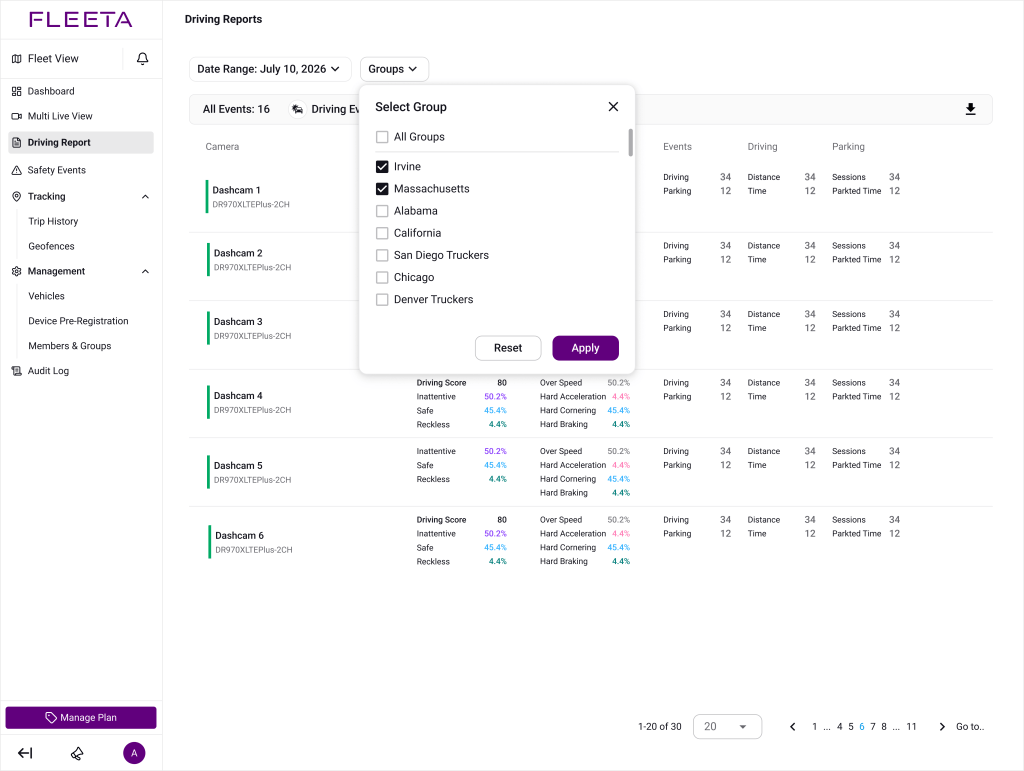
You can filter the report list by one or more groups to focus on a specific fleet.

  1. Click the Groups dropdown at the top of the Report page.
  2. In the Select Group popup, check the groups you want to include. Multiple groups can be selected simultaneously.
  3. To clear your selection, click Reset.
  4. Click Apply to update the report with the selected groups.

🗸 The summary bar at the top (All Events / Driving Event / Parking Event) updates to reflect only the cameras belonging to the selected groups.

🗸 If your account has no groups assigned, the Groups filter will be disabled.
Driving Style Overview #

Shows the proportion of:

  • Safe driving
  • Inattentive driving (e.g., drowsiness, distraction)
  • Reckless driving (e.g., harsh braking, overspeeding)

safe driving score is automatically calculated based on event data.

Reckless Driving #


Includes:

  • Hard braking
  • Sudden acceleration(Hard acceleration)
  • Sharp turns(Hard cornering)
  • Overspeeding

These events are recognized based on the Event Trigger settings configured for each dashcam.

Inattentive Driving


Includes:

  • Drowsy driving
  • Distracted driving
  • Hand distraction

Data appears only when using a DMS (Driver Monitoring System) camera.
Some DMS models (e.g., DMC100) may only support limited event types.

Driving Events Trend

#

Visualizes when events occurred:

  • Daily reports show events per hour.
  • Monthly reports show events per day.

Click a bar to see the breakdown.

Access Permissions #

Role Report Access
Owner / Admin (with permission) Can view the Report
Admin (without permission) Report is disabled
Driver  Report is disabled

Powered by BetterDocs