
Table of Contents
FLEETA supports both local and cloud-based monitoring of dashcam backup batteries.
This ensures uninterrupted recording in situations such as:
- Engine off or sudden power loss
- Low vehicle battery voltage
- Parking Mode operation
Note: to monitor battery remotely via the cloud, a compatible BlackVue battery is required.(B-124X, B-130X or B-130A)
Battery Pairing #
Battery pairing is the process of linking your dashcam to a compatible BlackVue battery.
Once paired, the dashcam will automatically connect to the battery when nearby—no need to select it manually each time.
- Pairing is only available through the FLEETA app, and the battery must be within Bluetooth range of your phone.
How to Pair a Battery
- On the camera card, tap the Battery Pairing button
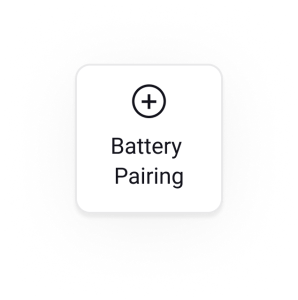
(Make sure your phone’s Bluetooth is enabled) - Select the battery you want to pair from the list
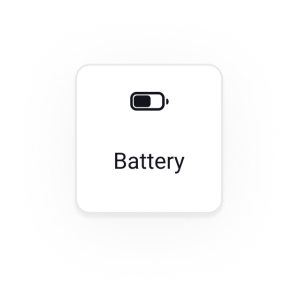
- When it’s paired, you can see the button has changed to Battery button
Checking Battery Status #
Battery status is checked differently depending on whether the dashcam is Wi-Fi or Cloud-connected.
Wi-Fi Camera
- On the Playback screen, battery level is shown above the SD card video list.
- For more detailed info, tap the Battery button to connect via Bluetooth and open the Battery Details screen.
Cloud-connected Camera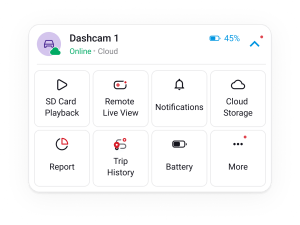
- Battery level is automatically updated every 10 minutes via the cloud.
- You can view the current status without taking any action, directly from the camera card.
- Tap the Battery button for more detailed information.
- You can check battery level graph for last 1 week.
Battery Icon Status Guide #
Wi-Fi Camera
| Icon | Status | Description |
|---|---|---|
 | Disconnected | Not connected via Bluetooth. Battery info not available. |
 | Connected | Connected via Bluetooth. Status shown for 10 minutes. |
Cloud Camera
| Icon | Status | Description |
|---|---|---|
 | Connecting | Attempting to connect. May take a few minutes. |
| Normal | Battery level is current and accurate. |
 | Over 15 min. | Disconnected for over 15 mins. Last known level shown. |
| Over 45 min. | Disconnected for over 45 mins. Please check the battery. |
#
Battery Notifications and Management #
Turn Off Battery Notifications
- Go to ‘Notifications > Settings > Push Notifications’ and toggle Battery Capacity to OFF.
Unpair a Battery
- On the camera card, tap ‘More > Unpair Battery’ to disconnect it from the dashcam.


