View Categories

Cloud Storage

Cloud Storage #

FLEETA supports cloud storage for all registered dashcams, allowing you to store, manage, and review important footage from the web viewer and mobile app.

Types of Cloud Storage #

FLEETA provides two types of cloud storage:

① FLEETA Drive
You can manually upload and save important videos from your dashcam to this personal storage space.

② Live Event Upload (Cloud-connected dashcams only)
Event videos such as impact or motion detection are automatically uploaded to the cloud in real time. The retention period for event videos varies by plan, and videos are automatically deleted once the retention period expires.

Uploading to FLEETA Drive (Manual Upload) #

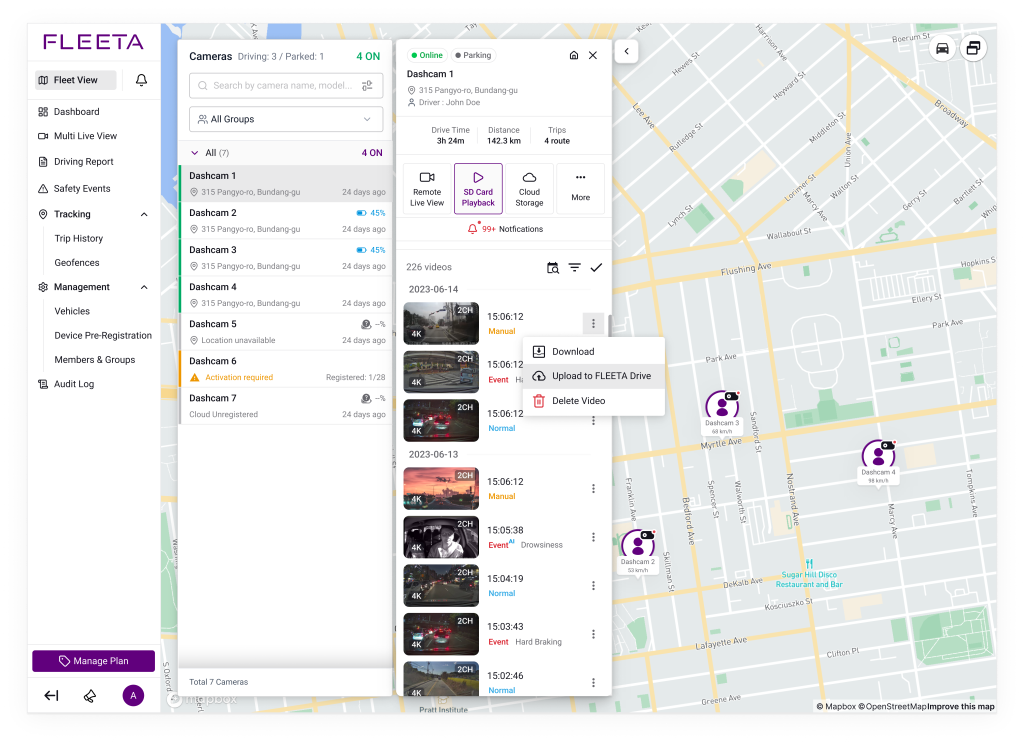
You can upload important recordings from any dashcam to FLEETA Drive for safekeeping.

  1. Open the Playback screen from the camera card (Wi-Fi or Cloud).
  2. Tap the ⋮ (More) icon next to the desired video.
  3. Select Upload to FLEETA Drive.

Storage Capacity #

Dashcam TypeCapacity
Cloud Unregistered dashcam 5GB per device
Cloud-connected dashcamUp to 50GB per device, varies by plan  

Saving Event Videos Permanently #

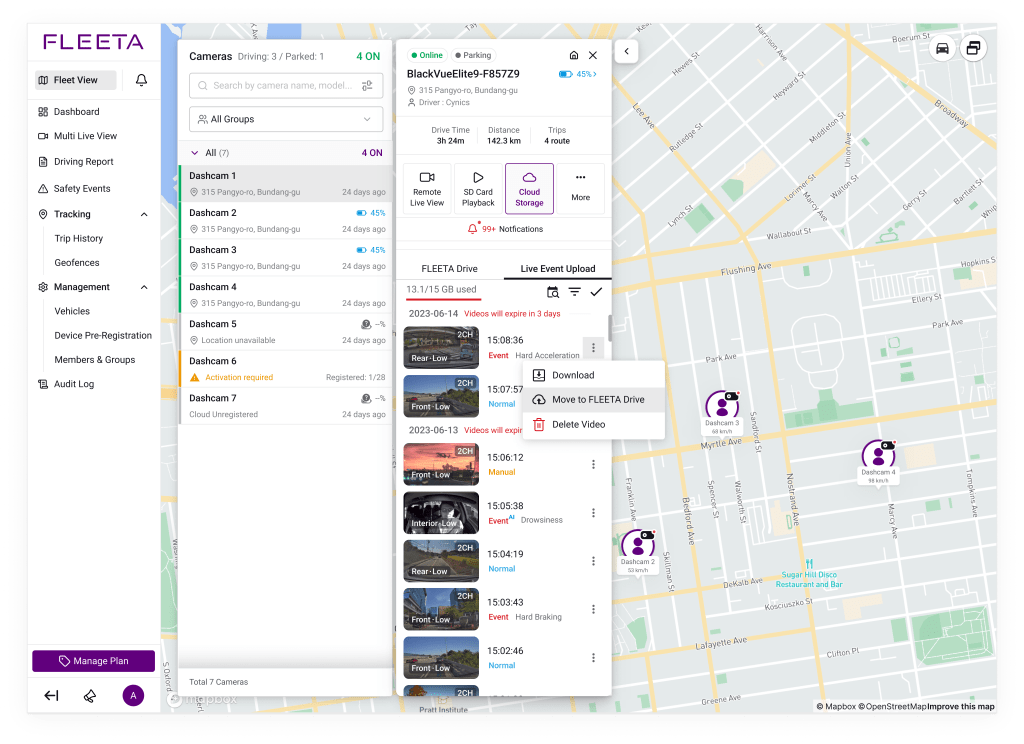
Event videos automatically uploaded via Live Event Upload are retained for a period that varies by plan, and are automatically deleted once the retention period expires. To permanently protect important videos from deletion, use the Move to FLEETA Drive option to move them to FLEETA Drive.
How to View Uploaded Videos in Cloud Storage #

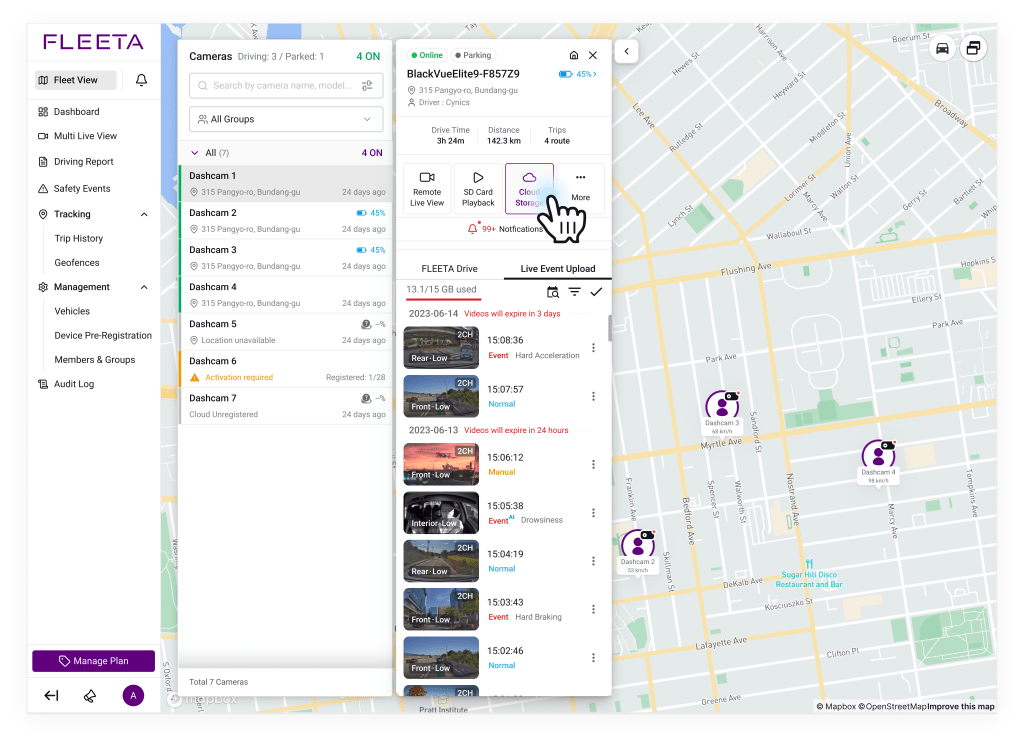
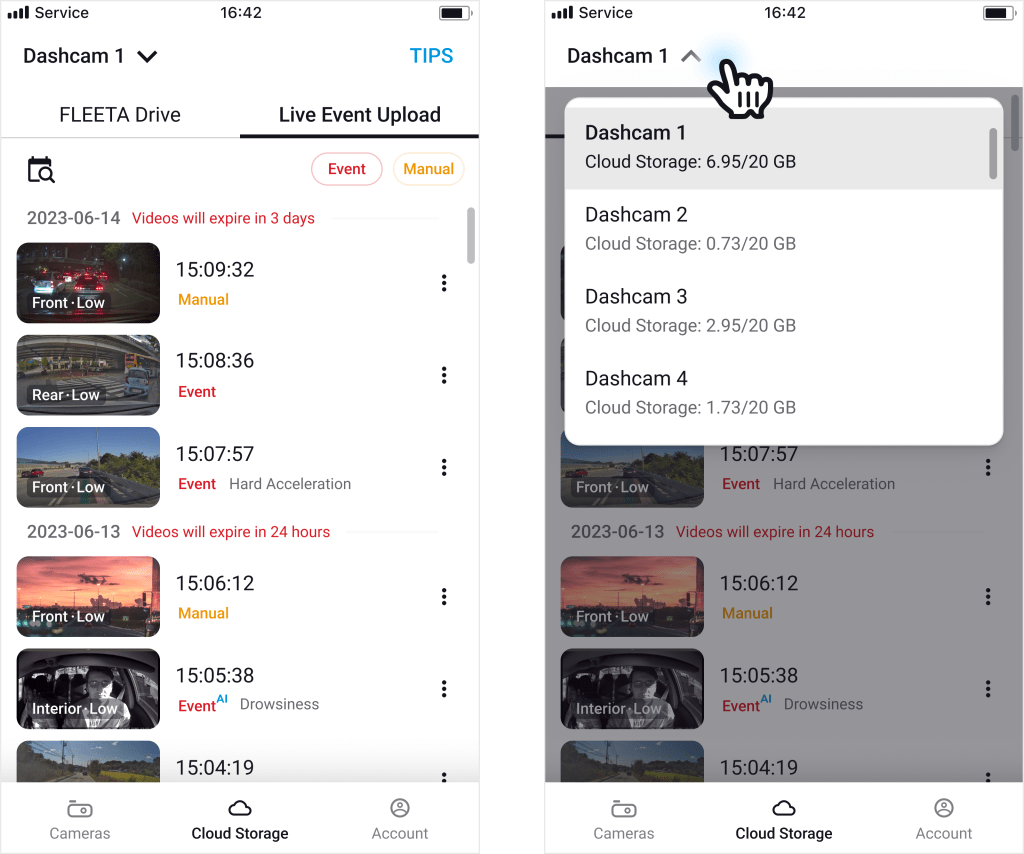
Uploaded videos can be accessed in two ways:

Powered by BetterDocs