View Categories

🧹How to Delete a Camera

🗑️ Delete Camera #

Deleting a camera means removing it from your camera list.

⚠️ Important:

When you delete a cloud-connected camera, all cloud videos will be erased. However, if you re-register the same camera to the same account within 30 days, your videos can be restored.

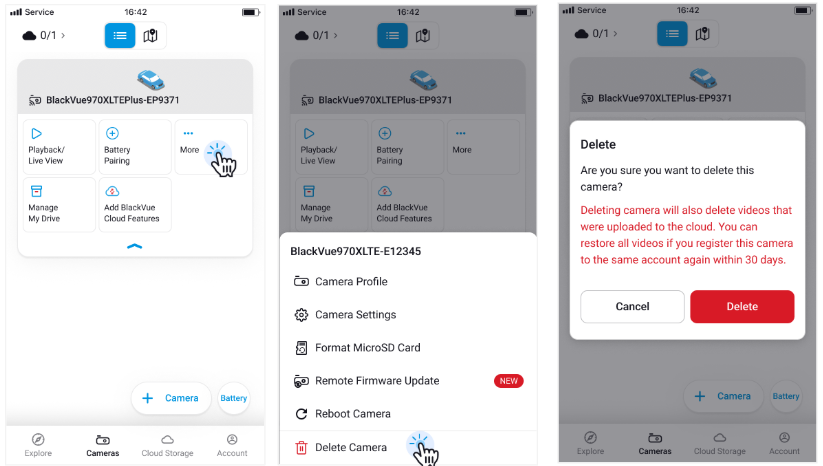
🔧 To delete a camera #

  1. Tap the “More” (⋮) button next to the camera.
  2. Tap “Delete Camera.”
  3. Read the confirmation pop-up and tap “Delete” to confirm.
  4. The camera will be removed from your list.

Powered by BetterDocs