View Categories

BlackVue Battery

🔋 What is the BlackVue Battery? #

The BlackVue Battery is a rechargeable backup battery designed specifically for BlackVue dashcams. It provides power to the dashcam when the vehicle’s battery voltage drops below a certain level, ensuring continuous recording even if:

  • The car battery dies
  • The engine is turned off
  • There is a sudden power loss

This helps protect important footage in unexpected situations.

🛜 Battery Pairing #

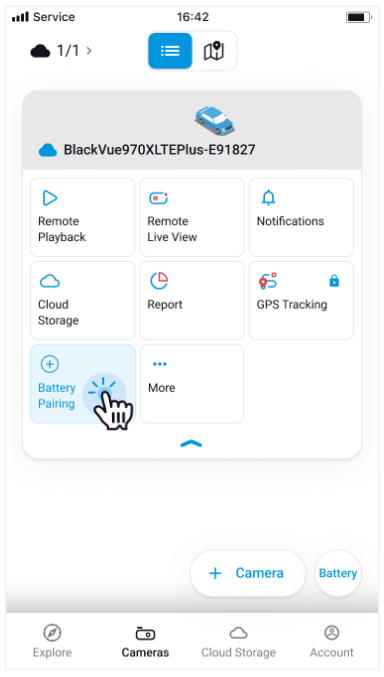
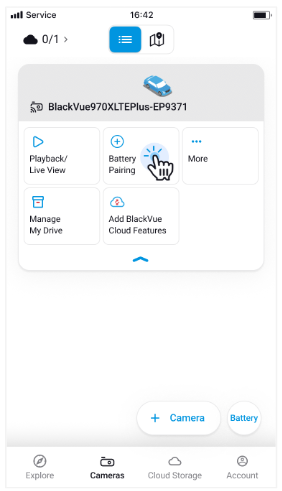
  • Tap the Battery Pairing button on your normal camera.
  • Follow the on-screen instructions to pair the battery via Bluetooth.
  • Once paired, you can monitor the battery status locally from the app.

✅ Check Battery Status #

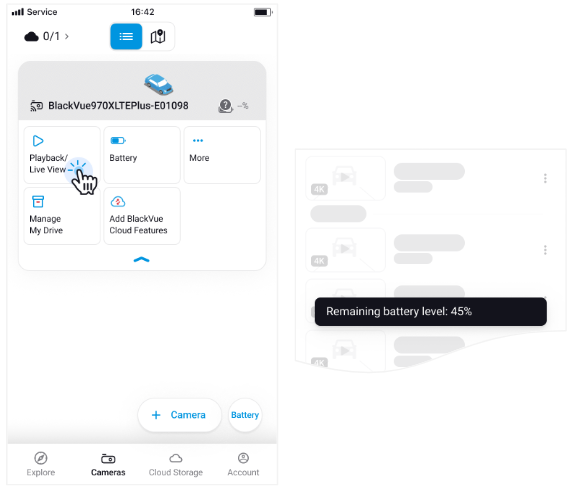
  • When you tap Playback on your normal camera, you can check both the SD card video list and the battery status.
  • For detailed battery information, tap the Battery button to open the Battery Details screen.

📖 Battery Icon Status Guide #

Icon

Status

Description


Battery Disconnected

The app is not connected to the battery via Bluetooth. Battery status is unavailable.


Battery Connected

The app is connected to the battery via Bluetooth. Battery status is available and displayed for 10 minutes.

☁️ Cloud Battery #

The Cloud Battery feature allows you to check your BlackVue battery capacity and monitor its status remotely via the Cloud. By pairing a compatible battery with your dashcam, you can easily monitor the battery status anytime, anywhere.

☁️ Cloud Battery Pairing (Cloud Camera Only) #

  • Tap the Battery Pairing button on your Cloud Camera.
  • Follow the on-screen instructions to pair the Cloud Battery.
  • Once paired, you can monitor the battery status remotely via the Cloud anytime.

✅Check Cloud Battery Status (Cloud Camera Only) #

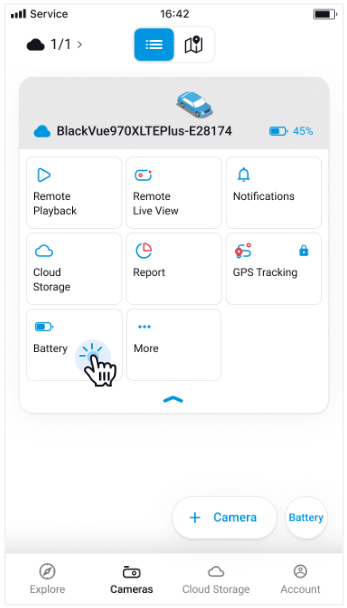
  • The Cloud Battery icon is always displayed on the camera screen, allowing you to check the battery status at any time.
  • To view detailed battery information, tap the Battery button to open the Battery Details screen.

📖 Cloud Battery Icon Status Guide (Cloud Camera Only) #

Icon

Status

Description


Connecting

The battery is currently connecting to the dashcam.

It might take several minutes. Please wait.


Normal

The battery level is received and displayed correctly.


Over 15 min.

The connection to the battery has been lost for over 15 minutes

The previously received battery level is displayed.


Over 45 min.

The connection to the battery has been lost for over 45 minutes. Please check the battery status.

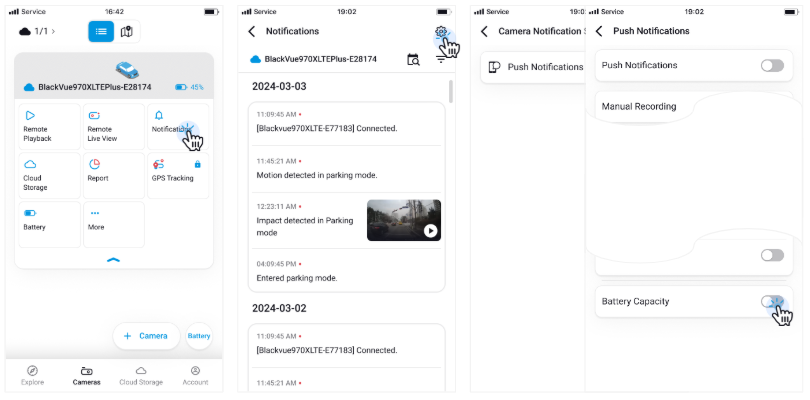
🔕 How to Turn Off Cloud Battery Push Notifications #

  • Go to Notification > Settings > Push Notifications.
  • Toggle Battery Capacity OFF.

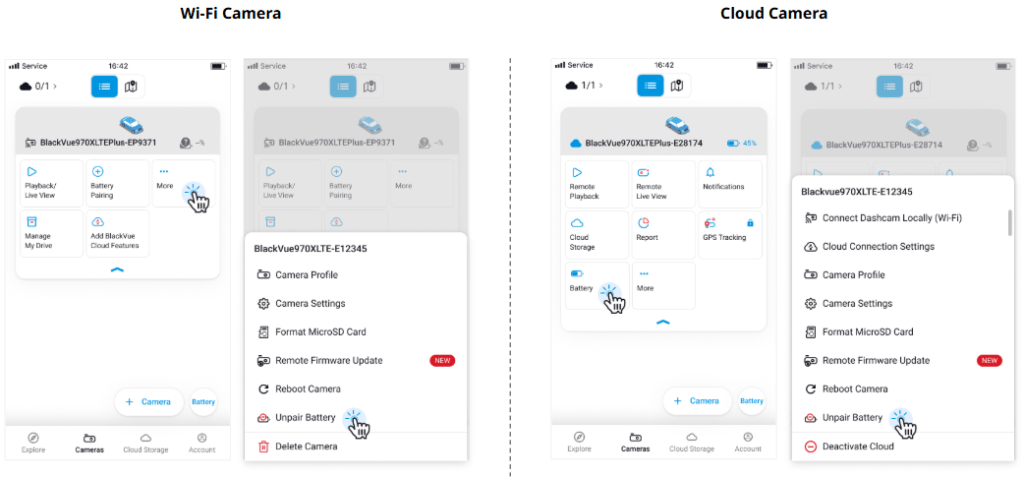
🔋 How to Unpair a Paired Battery #

  • Tap the More button on the camera card.
  • Select Unpair Battery to unpair the battery from the camera.

Powered by BetterDocs