View Categories

Dashcam Registration

What is Dashcam Registration? #

Registering your dashcam means linking it to your FLEETA account so that you can view its information and video footage via the app and web viewer. Only registered dashcams can be managed, assigned to groups, or used for cloud upload.

Before Registration #

  • Only users with Owner permissions can add new dashcams.
  • Dashcam registration is available exclusively via the FLEETA App (not via the web viewer).
  • Ensure your dashcam is powered and within close proximity.

Registration Steps #

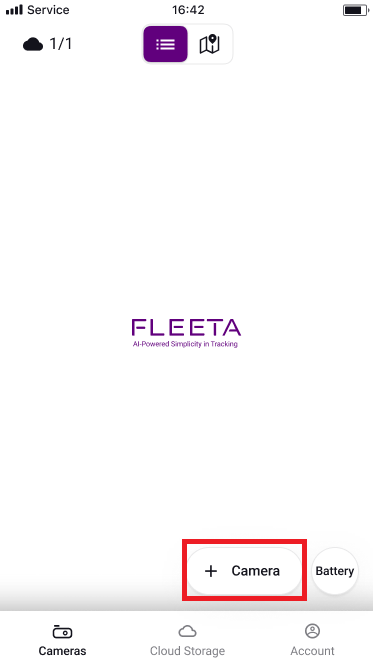
1. Tap ‘+ Camera’

  • Ensure Bluetooth and location permissions are enabled on your mobile device.

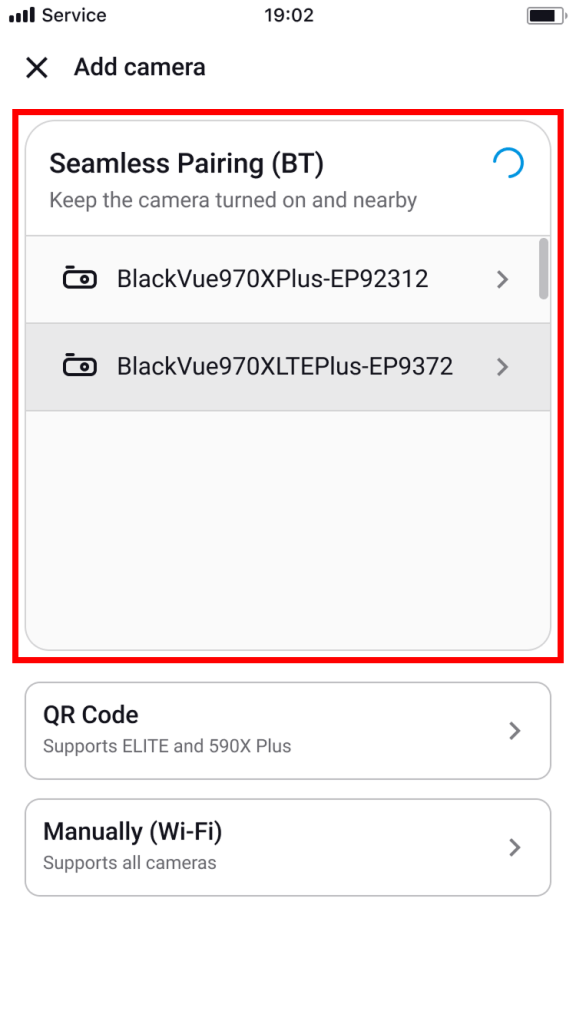
2. Select the Dashcam to pair with

  • Choose your dashcam model from the list.
  • Confirm your dashcam is powered ON and nearby.

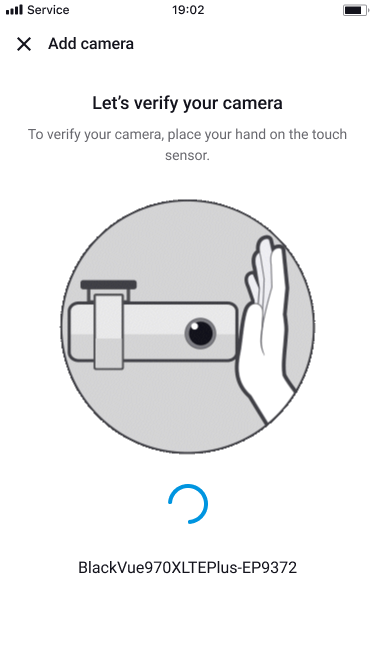
3. Tap the Touch Seonsor

  • Touch the dashcam to confirm you’re nearby.

4. Complete Registration

  • Wait until a confirmation message indicates successful registration

The camera is successfully registered and ready to go.

Powered by BetterDocs